

Organiser Features
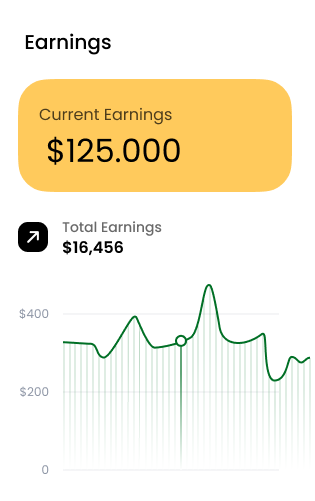
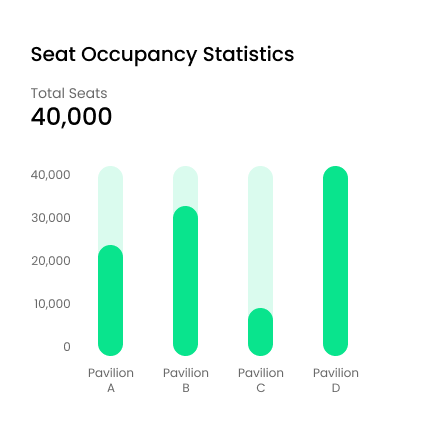
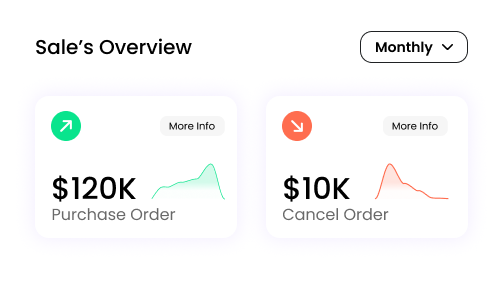
Advanced Dashboard
.webp)
Social Media Support
Dynamic Event Information Form
.webp)
Admin Features
Dashboard
.webp)
.webp)
Admin Users
Users
.webp)
Frequently asked questions
Is this software scalable for growing businesses?
Absolutely! Our white-label ticketing software is built to handle events of all sizes — from small workshops to global conferences. You can easily scale your features, bandwidth, and integrations as your business grows.
Can I fully brand the platform with my company name and domain?
Yes, you can. Customize the entire platform — from logos and color themes to domain and email templates — to match your brand identity perfectly.
Can I host multiple organizers or clients on the same platform?
Yes. The platform supports multi-organizer functionality, allowing you to onboard clients, agencies, or venues under one main system with separate dashboards.
Is the platform available in multiple languages?
Yes. We support multilingual capabilities so you can localize ticketing pages for different regions and audiences.
Which payment gateways are supported?
We support major gateways including Stripe, PayPal, Authorize.Net, and regional providers. You can also integrate your preferred processor via API.
Do you charge any commission on ticket sales?
No. You keep 100% of your revenue. Our software operates on a one-time license fee, with zero transaction commissions.
Can refunds be managed directly through the system?
Yes. Refunds — full or partial — can be initiated directly from the admin panel, and customers are automatically notified via email.
Does it support multi-currency transactions?
Yes, you can accept payments in multiple currencies, ideal for global events or international attendees.
Can I change the platform design to match my brand?
Yes. You can customize the entire look and feel — including colors, fonts, layouts, and even custom CSS — to align with your brand identity.
Can new features be developed as per my requirements?
Absolutely. Our development team can customize and extend the platform to fit your specific business logic, integrations, or automation workflows.
Can I add custom modules or third-party integrations?
Yes. You can integrate marketing tools, CRM systems, accounting software, and analytics APIs to enhance functionality.
Is white-labeling included by default or optional?
Full white-labeling is included by default — your domain, your logo, your brand. No trace of the original vendor remains visible.
Do you offer setup assistance and onboarding?
Yes. Our team helps with installation, configuration, and initial setup to ensure your platform launches smoothly.
Is there a mobile version or app available?
Yes. The system is fully responsive on mobile and tablet, and we also offer optional mobile app integration for scanning and check-ins.
Can I use my own hosting or server?
Yes. You can host the software on your preferred cloud platform or in your private infrastructure.
What kind of customer support is available?
We provide 12 months email and chat support, along with dedicated technical assistance for customization or troubleshooting.
How often do you release updates or new features?
Regular updates are released to improve functionality, enhance performance, and add new features — all included with your license.
Ready to Transform Your Ticketing?
Join thousands of venues and organizers who trust Ticketing software to power their events. Start your free trial today.
Schedule a Demo