
Reserved Seating vs General Admission: Choosing the Right Ticket Model
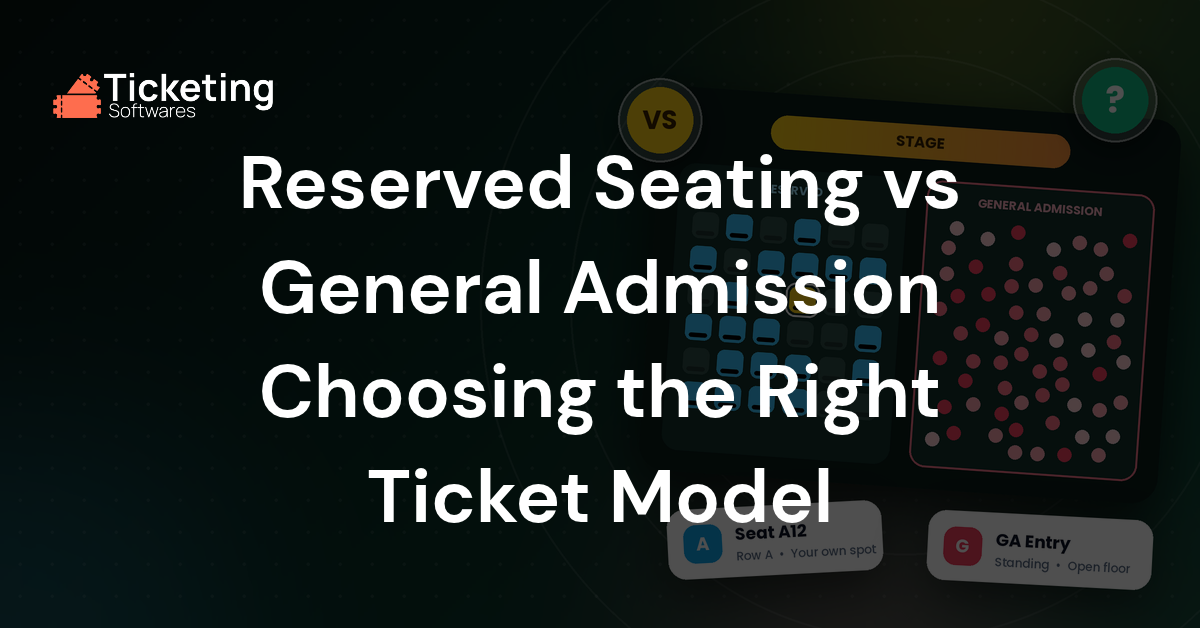
A buyer wants two seats together near the front. Another wants the cheapest way in and will stand anywhere. Same event, two completely different ideas of what they are buying.
Reserved seating and general admission are not just two settings. They change how you price, how you sell, how people move through the room and how much you need to configure before launch.
Quick answer: Reserved seating assigns each buyer a specific seat from a seat map, while general admission sells entry with no assigned place. Reserved seating suits theaters and stadiums where seat choice matters, and general admission suits standing events and festivals where capacity matters more than position.
How do reserved seating and general admission differ?
With reserved seating, each ticket points to one seat. The system must hold seats during checkout, prevent double sales and show the buyer a map. With general admission, each ticket counts against a capacity number, and buyers choose a ticket type rather than a location.
FactorReserved seatingGeneral admissionBuyer choiceSpecific seatTicket type onlySetup effortSeat map requiredCapacity and ticket typesBest forTheaters, stadiums, seated showsStanding gigs, festivals, workshopsPricing leverPrice by section or rowPrice by tier or time
When does reserved seating pay off?
It pays off when seat quality varies, when buyers value sitting together, and when you want to price a front row differently from the back. Venues with fixed layouts get the most from it because the map is built once and reused.
It costs more to configure and more to fix. A wrong seat map is sold wrong, and every sold seat is a promise. Related reading: ticketing for circuses. See also: stadium ticketing software.
When is general admission the better choice?
General admission is better when the room layout changes between events, when the audience stands, or when speed of setup matters more than seat choice. It is also simpler for first events, because there is no map to get wrong.
The trade-off is control. You cannot sell a premium for a better position unless you create a separate tier, such as a VIP area.
Can you mix both in one event?
Yes. Many events sell reserved seats in a seated bowl and general admission on a floor or lawn. Check that your platform can handle both ticket types in one event and report on them separately.
Check the plan too. In the TicketingSoftwares.com plan table, seating management is on Growth, Professional and Enterprise, not the free Launch plan. Current limits by plan are listed on the pricing plans page.
How do you choose?
- Count what truly differs between your seats in quality.
- Ask whether buyers would pay more for specific seats.
- Check how often your layout changes.
- Match the choice to your platform’s seating features and plan.
- Test one event, then decide for the season.
The full feature list is on the features page.
Frequently asked questions
What is the difference between reserved seating and general admission?
Reserved seating assigns each ticket to a specific seat chosen from a seat map. General admission sells entry up to a capacity limit without assigned places. The first prioritizes choice, the second prioritizes flexibility.
Is reserved seating better for events?
Only when seat choice matters. Reserved seating suits theaters, stadiums and concerts with seated areas. General admission suits standing events and festivals. Better depends on your layout and what buyers value.
How does a seat map work in ticketing software?
Admins build a map of sections, rows and seats and attach prices. During checkout, the system holds chosen seats for a short time, completes the sale on payment and marks them sold. Held seats release if payment fails.
Can you mix reserved seating and general admission?
Yes, many events do. You sell reserved seats in seated areas and general admission in standing areas under the same event. Confirm that your platform supports both ticket types in one event and reports them separately.
See it running
Book a 1:1 walkthrough and bring your real event setup: ticket types, venue size, payment gateway and how many organizers you run. You will see the admin panel and the plan that fits. Book a demo


Ready to Transform Your Ticketing?
Ready to Transform Your Ticketing? Start with our free plan today.
Schedule a DemoThank you! Your submission has been received!
Oops! Something went wrong while submitting the form.